The Biggest Cybersecurity Threats for Small Businesses in 2026
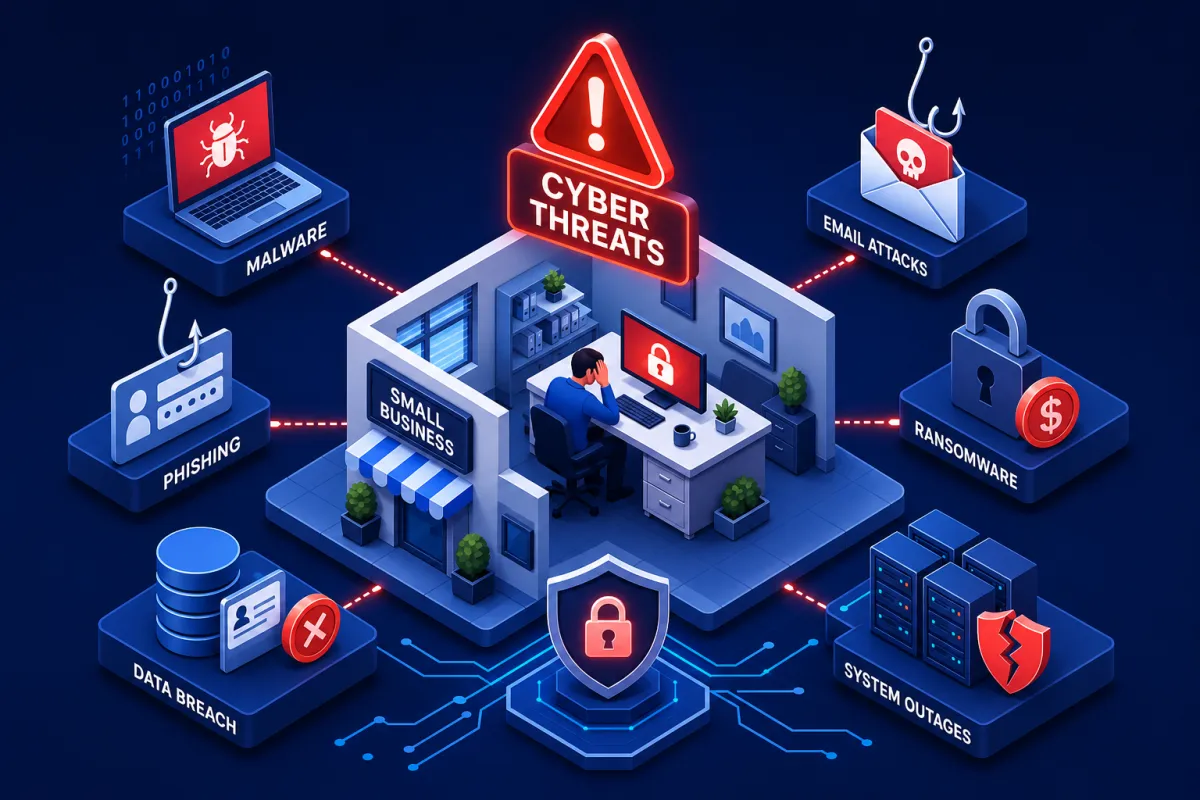
Cybersecurity threats for small businesses in the UK are escalating in 2026. Attackers use automation and AI to scale phishing, steal credentials, and push ransomware round the clock. They do not care how big you are; they care how quickly they can turn access into cash.
Phishing remains the door most often opened by staff, with Business Email Compromise now driving invoice fraud at volume. When ransomware lands, the real cost is rarely the ransom itself. It is the weeks of downtime, lost deals, and recovery work that follow. The answer is not complexity but a handful of high‑leverage controls done properly and kept up to date.
This guide focuses on the main SME cyber risks in 2026, explains how criminals typically get in, sets out a 30‑day action plan, and covers the Microsoft 365 hardening many small firms miss. You also get a short incident response outline with clear next steps you can act on.
Top cybersecurity threats for small businesses in 2026
Ransomware is still the costliest hit
Ransomware remains the fastest way to stop a small firm in its tracks. Attacks now pair encryption with data theft and extortion to force a pay‑up decision under pressure. Downtime often runs to multiple weeks, a serious hit to cash flow and customer trust, even where no ransom is paid (see the NCSC's ransomware guidance for business advice).
Direct ransom is often a fraction of the total bill. Indirect costs such as downtime, recovery, legal work, and lost business make up the bulk of the damage for SMEs. Downtime dwarfs ransom, so recovery planning is non‑negotiable. (For context on the wider economic impact, see the analysis of ransomware costing UK companies £346 million per annum.)
Phishing and BEC are your most likely problem
Phishing is the starting point for most SME incidents. Attackers hijack real email threads, spoof suppliers, and redirect invoices or payroll with convincing instructions. ICO trend data shows phishing and email‑based attacks feature frequently in reported incidents, and UK Finance continues to highlight authorised push payment fraud linked to compromised communications.
Finance teams are prime targets because email moves money. Treat email like a payment system and build controls around it. Dual approval, vendor verification, and strict bank change checks will stop most BEC attempts cold.
Credential theft fuels most intrusions
Stolen or reused passwords, MFA fatigue approvals, and token theft give criminals the keys they need. Cloud admin accounts and Microsoft 365 mailboxes are the top prizes. Once a single mailbox is compromised, it often pivots into files, chats, and payment approvals without raising alarms.
The fix is layered identity security. Enforce MFA everywhere, use number matching, and move to passkeys where possible. Microsoft has reported that MFA significantly reduces account takeover risk when used correctly (see Microsoft Security guidance).
Supply chain and SaaS plug‑ins bring risk you did not buy
Third‑party IT providers, OAuth apps, and low‑trust plug‑ins can create hidden doors. Many SMEs allow broad app consent and never review it again. One weak link can punch through otherwise decent defences.
Vet suppliers, restrict who can grant app consent, and review integrations quarterly. Remove unused apps and trim high‑privilege scopes. A short review finds surprises more often than you think.
How these cybersecurity threats for small businesses actually happen
How cybersecurity threats for small businesses hit email and invoices
Lookalike domains, poisoned attachments, and reply‑chain hijacking turn routine emails into fraud. Attackers watch a live thread, learn your tone, then strike on a Friday afternoon with urgent instructions and new bank details. Many SMEs have no second channel for verification, which is exactly what criminals expect.
Train finance staff to verify bank changes with a known phone number and to pause on urgency language. Enforce dual approval on all payments and set a standing rule that bank details never change by email. If money moves, verification should be offline.
Unpatched software and exposed services you forgot about
Outdated VPNs, remote desktop, routers, and line‑of‑business apps get scanned constantly. When a new flaw is disclosed, working exploits can appear in hours. Internet‑exposed services that no one uses anymore still sit open because no one owns them.
Set a weekly patch window, enable auto‑updates for browsers and OS, and track completion. Keep an asset list so nothing is missed and close anything you do not need on the internet. Patching is dull, which is why it works.
MFA fatigue, token theft and session hijacking
Attackers spam push prompts until someone taps approve, or they steal session tokens to bypass MFA entirely. Without conditional access and device trust, bad sign‑ins blend in. Long‑lived sessions make matters worse.
Turn on number matching, device compliance, and conditional access to block risky sign‑ins at the door. Shorten token lifetimes and revoke sessions after password resets. Alert on impossible travel and unusual locations.
Third parties, SaaS and plug‑ins as hidden doors
Risky OAuth consents and unmanaged suppliers expand your attack surface. Many tenants run with too many high‑privilege apps and stale guest accounts. No one checks them until after an incident.
Review high‑privilege apps in Microsoft 365, remove what you do not use, and restrict who can consent. A quick review with Systems Secure UK flags dangerous consents and weak supplier controls early.
The 30‑day defence plan that reduces cybersecurity threats for small businesses
Turn on MFA everywhere and fix passwords with a manager
Enable MFA on email, cloud admin, banking, and key SaaS first. Then roll to every user. Use an authenticator app or hardware key, not SMS. Deploy a company password manager to end password reuse and to share credentials safely.
Work to the NCSC's Cyber Essentials requirements and password guidance: MFA is required for administrator access to cloud services and is strongly recommended for standard users; use at least 12‑character passwords or passphrases and avoid enforced regular resets. No exceptions for executives or legacy accounts.
Patch weekly and close exposed ports
Pick a weekly slot and apply OS, browser, firmware, and app updates. Update firewalls and routers, disable RDP from the internet, and remove old accounts. Assign an owner for every critical device and system so patching is not someone else's job.
Cyber Essentials expects critical and high‑risk patches to be applied within 14 days, including in‑scope home‑working devices and routers. Bake this into your calendar and hold people to it.
Back up with 3‑2‑1 and test a restore
Keep three copies on two types of media, with one offline or immutable. Test a restore of a business‑critical file every month and document the steps. That document is what you follow at 2 a.m. when the chips are down.
Protect backups with separate credentials and MFA, and monitor for deletion attempts. Backups that are not tested are wishful thinking.
A quick cyber security checklist for small businesses
Turn on device encryption, remove local admin rights, and enable Microsoft Defender or an equivalent modern endpoint tool.
Add DNS filtering such as Cloudflare Gateway to block known bad domains and phishing kits.
Tighten email filtering and quarantine risky file types like .iso, .js, and macro‑enabled documents by default.
Disable legacy authentication in Microsoft 365 and enforce number matching for MFA.
Publish a one‑page security policy that staff will actually read, covering passwords, MFA, approvals, and incident reporting.
Maintain an asset list, including home‑working devices, with an owner for each item.
Pursue Cyber Essentials to lock in the basics and reduce insurance friction.
Secure Microsoft 365 and email, the small firm soft spot
Lock admin roles, conditional access and alerting
Reduce global admins to the bare minimum and create a break‑glass account stored offline. Require MFA with number matching for all users, especially admins. Use conditional access to block risky sign‑ins and require compliant, encrypted devices.
Enable sign‑in risk alerts and forward logs to a mailbox or SIEM for weekly review. Look for impossible travel, unfamiliar locations, mass forwarding rules, and consent grants you did not expect.
Stop impersonation with DMARC, SPF and DKIM
Publish SPF and DKIM correctly, then enforce DMARC to quarantine and reject spoofed mail. This reduces successful impersonation and helps inbound filters do their job. Pair it with a strict vendor verification process for any bank detail changes.
Start with p=quarantine while you tune reports, then move to p=reject once you are confident. The change is measurable in fewer spoof reports and cleaner mail flow.
Harden Teams, SharePoint and OneDrive sharing
Set external sharing to least privilege and require expiry on links. Review guest access monthly and remove dormant shares. Label sensitive data and block public links for client files.
Turn on alerting for anonymous link sharing, mass downloads, and unusual sharing spikes. Treat client folders as confidential by default, not public unless someone remembers to flip a switch.
Train users to spot phish and run quarterly simulations
Keep training short and repeatable. Run realistic simulations each quarter and share outcomes without blame. Celebrate improvements and close gaps promptly with targeted refreshers.
Short, frequent training beats annual box‑ticking. Most phishing breaches start with one click from one unprepared person. Solve that.
Your SME incident response plan, step by step
First 24 hours: contain, preserve and communicate calmly
Isolate affected devices from the network, reset credentials, and disable suspicious accounts. Preserve logs and evidence before you wipe anything, including email audit logs and OAuth consents. Appoint a single internal communicator to avoid mixed messages.
Turn off any mail forwarding rules you did not set. If fraud is involved, contact your bank's fraud team immediately and file a crime report. Time matters.
Legal and regulatory: ICO in 72 hours and client notices
Assess if personal data is at risk under UK GDPR. If there is likely risk to individuals' rights and freedoms, notify the ICO within 72 hours. Your notice should describe the breach, the categories and approximate number of records affected, DPO contact details, likely consequences, and measures taken or proposed. (For a legal overview, see what the law requires after a cyber attack.)
If there is high risk to individuals, inform them directly without undue delay. Sector rules such as FCA or NIS may add their own timelines and formats. Document every decision, even if you judge a notification is not required.
Insurance and suppliers: notify early and follow playbooks
Tell your cyber insurer before you pay ransoms or hire vendors. Many policies require panel firms and early notice to preserve cover. Loop in your IT provider and critical suppliers with clear asks and deadlines.
Keep a timeline and evidence log for forensics and claims. Store copies of logs off the affected systems. This saves days of back and forth later.
Recover cleanly, learn and rehearse with tabletop drills
Rebuild from known‑good backups, rotate keys, and validate systems before going live. Check that endpoints, email, and identity are clean. Do not rush a dirty restore.
Hold a debrief within a week to capture fixes and assign owners. Run a tabletop exercise each quarter so your plan is not just a document no one opens.


Innovation
Fresh, creative solutions.


Excellence
Top-notch services.

FOLLOW US


Systems Secure Ltd
6 The Meadow, Copthorne, West Sussex. RH10 3RG
07702 896 910
Company Registration: 7295869
COMPANY
CUSTOMER CARE
LEGAL
Copyright 2026. Systems Secure. All Rights Reserved.