
Cyber Essentials Firewall Requirements: What Every Business Owner Needs to Know About Firewall Requirements
Cyber Essentials Firewall Requirements: What Every Business Owner Needs to Know About Firewall Requirements
Why Firewalls Matter in Cyber Essentials
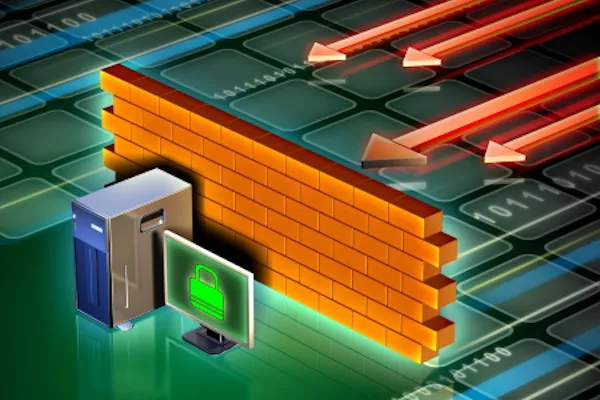
If you've ever locked your front door to keep your house safe, you've used the same basic logic behind a firewall. Firewalls are digital gatekeepers — they control what gets in and out of your business network, protecting your systems from unwanted visitors.
Under the Cyber Essentials 3.2 framework, understanding and implementing the correct firewall requirements is essential to getting certified. But don’t worry — you don’t need to be a tech whiz to get this right. Let's break it down simply.
What Is a Firewall (in Plain English)?
A firewall is a security system that monitors and controls the traffic coming into and going out of your IT systems — much like a bouncer checking IDs at a nightclub.
There are two main types:
Boundary firewalls – typically part of your router or network setup.
Software firewalls – installed directly on devices like laptops, desktops, and even tablets.
If you have remote workers, their devices might need software firewalls because they’re outside your office’s main network.
The Basic Firewall Requirements You Need to Know
The Cyber Essentials scheme lays out clear firewall requirements — and here’s what they mean in practice, with zero jargon:
1. Change Default Passwords
The admin password that comes with a new router? It's public knowledge. Always change it to something strong and unique. Weak or unchanged passwords are one of the biggest risks out there.
2. Block Unwanted Traffic
Only allow internet traffic that’s essential for your business. Everything else? Block it. This keeps hackers from snooping around where they shouldn’t be.
3. Lock Down Admin Access
The settings panel that controls your firewall shouldn’t be open to the world. Only trusted people should have access, and only through secure channels. Use:
Multi-factor authentication (MFA), or
A list of approved IP addresses that are allowed access
4. Keep a Record of What’s Allowed
Every rule you set in your firewall should be documented. What’s being allowed through, and why? This way, you stay in control — and the certification assessor sees you're on top of it.
5. Review and Remove Old Rules
When services or employees no longer need access, remove the rule. Old, forgotten permissions are often how cyberattacks sneak in.
6. Use Software Firewalls on Untrusted Networks
Public Wi-Fi is convenient but risky. Devices used outside the office (e.g. at home or in coffee shops) should have personal firewalls turned on to protect them.
Why This Matters for Certification
The Cyber Essentials framework is a government-backed scheme designed to help you defend against the most common cyber threats. Getting certified not only improves your security, it boosts your credibility — especially with customers and partners.
Without proper firewall implementation:
You won’t pass the Cyber Essentials assessment.
Your systems will be vulnerable to online threats.
You might lose client trust if there’s a breach.
Real-World Example
Imagine this: You're running a design agency and your team works remotely. One of your freelancers connects to a public Wi-Fi network at a café. They don’t have a firewall enabled and accidentally download malware via an email link. That malware now has a direct route into your company’s systems.
Had that device been protected by a correctly configured software firewall, the damage would have likely been avoided.
Tips to Stay Compliant and Protected
You don’t need a big IT team to get your firewall requirements right. Here’s a simple checklist:
✅ Replace default passwords on all firewalls and routers
✅ Block incoming connections by default
✅ Enable software firewalls on all laptops and remote devices
✅ Use MFA for admin access to network settings
✅ Document all firewall rules and update them regularly
✅ Check in quarterly to clean up unused rules
Final Thoughts: Firewalls Are Your First Line of Defence
You don’t need to know how to code to protect your business. Cyber Essentials firewall requirements are about common sense, good habits, and having the right tools in place.
By following these easy-to-understand guidelines, you’ll not only protect our business from attacks but also build the kind of trust that clients love.