How Do I Know If My Business Has Been Hacked?
Quick Answer
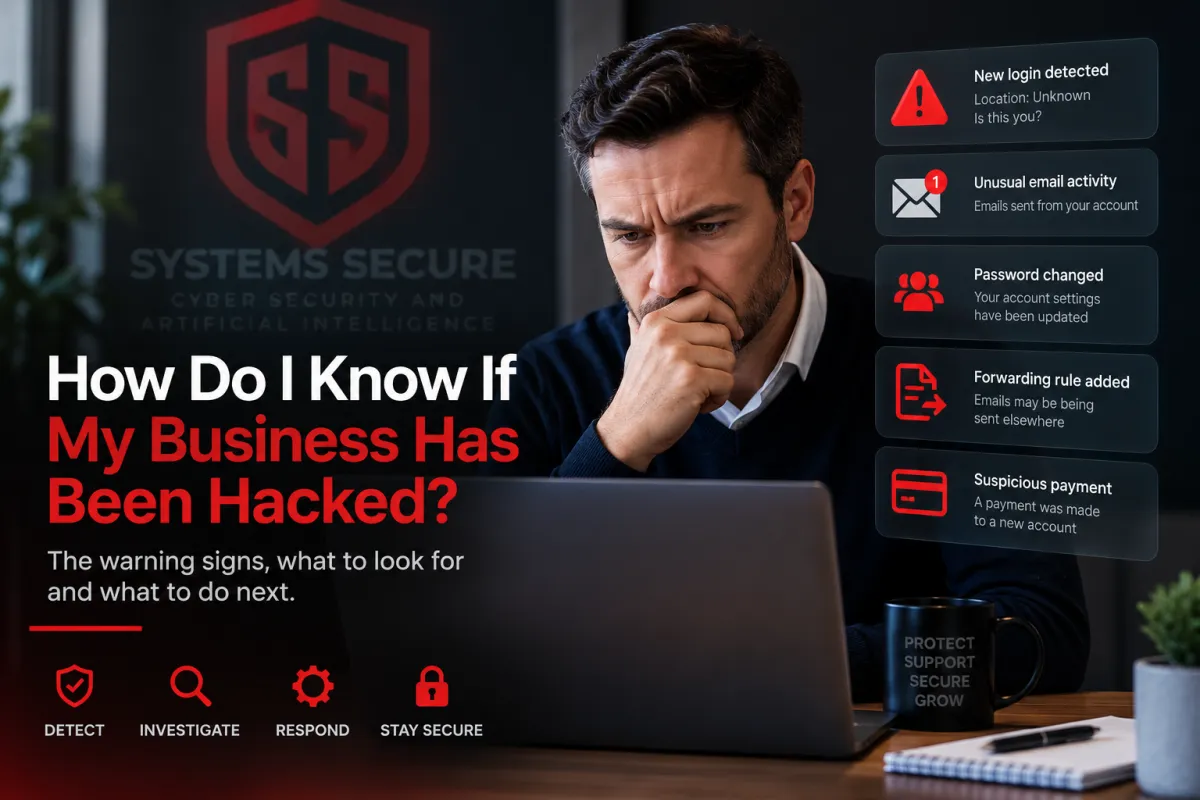
You may not know immediately.
A business being hacked does not always result in computers going offline, files being encrypted or a ransom message appearing on the screen.
Sometimes the first sign is much smaller.
You might notice:
A Microsoft 365 login you don't recognise
Emails being sent from your account that you didn't send
Customers telling you they have received strange emails from you
Password reset messages you weren't expecting
Changes to email forwarding rules
Staff suddenly being locked out of accounts
Unusual payments or requests to change bank details
Computers behaving differently or becoming unexpectedly slow
Security settings being changed without explanation
The National Cyber Security Centre (NCSC) lists unusual emails, unrecognised login alerts, unexpected device behaviour and unauthorised payments among the warning signs that a business may be experiencing a cyber attack.
The important thing is not to assume everything is fine simply because the computers are still working.
Would I definitely notice if somebody hacked my business?
No.
This is one of the biggest misconceptions about cyber attacks.
People often imagine a hacker breaking into a computer and immediately causing damage.
In reality, somebody who gains access to one of your accounts may deliberately try to avoid being noticed.
For example, if someone gets into an employee's email account, they might quietly watch emails for days or weeks.
They could be looking for:
Invoices
Payment information
Customers and suppliers
Password reset emails
Conversations with accountants
Details of upcoming payments
Opportunities to impersonate somebody in the business
If they immediately break everything, you know something is wrong.
If they quietly read emails, they may be much harder to spot.
What are the most common warning signs?
There isn't one single sign that proves a business has been hacked.
Instead, you normally need to look for unusual activity.
1. Login alerts you don't recognise
Microsoft 365 and many other online services record information about account logins.
You may see a login from:
A country you don't normally operate in
An unfamiliar device
An unusual IP address
A time when the employee wasn't working
One unusual login does not automatically mean somebody has hacked the account.
Mobile networks, VPNs and other services can sometimes make login locations look unusual.
But it is something worth investigating.
2. Customers receive emails you didn't send
This is a particularly important warning sign.
A customer might contact you and say:
"Did you send me this invoice?"
or:
"Why are you asking me to pay into a different bank account?"
If the email genuinely came from one of your business accounts and nobody in your company sent it, you need to investigate immediately.
The NCSC specifically identifies people receiving strange emails from your domain as a possible sign of a cyber incident.
3. Email forwarding rules appear
This is something business owners rarely think to check.
Someone who gets into an email account can sometimes create a rule that automatically forwards copies of messages elsewhere.
The employee may continue using their email normally and never realise it is happening.
The NCSC specifically recommends checking email filters and forwarding rules when you suspect an account has been compromised.
This is one reason simply changing a password may not always be enough.
You also need to understand what was changed while the account was accessible.
4. Someone's password suddenly stops working
If an employee says:
"My password doesn't work anymore."
don't automatically assume they have forgotten it.
Someone who gains access to an account may change:
The password
Recovery information
Security settings
Multi-factor authentication settings
The NCSC lists being unable to log into an account and unexplained changes to security settings as possible indicators that an account has been compromised.
5. Password reset messages appear unexpectedly
You may receive messages saying someone has requested a password reset.
One message could simply be someone entering the wrong email address.
Repeated attempts across different accounts deserve more attention.
This can indicate someone is trying to gain access.
6. Multi-factor authentication prompts appear unexpectedly
If you use multi-factor authentication and an employee suddenly receives an approval request they didn't initiate, they should not approve it.
Someone may already have that employee's password and be trying to complete the login.
Staff should know that unexpected login approval requests need to be reported rather than simply dismissed.
7. Money goes somewhere it shouldn't
Sometimes the first obvious sign of an attack is financial.
For example:
A supplier's bank details appear to change
An employee receives an urgent request from the managing director
An invoice is altered
A payment is redirected
Money leaves the company account unexpectedly
If you think money has been stolen, contact your bank immediately using contact details you obtain independently.
For businesses in England, Wales and Northern Ireland, cyber crime and fraud can also be reported through Report Fraud. Businesses experiencing a live cyber attack can currently call 0300 123 2040.
8. Computers start behaving strangely
Sometimes there are more obvious signs.
You might see:
Computers becoming unusually slow
Applications opening or closing unexpectedly
Security software being disabled
Files becoming inaccessible
New software appearing
Internet searches being redirected
Ransom messages
Large numbers of files suddenly changing
These are worth investigating, but a slow computer on its own does not mean you have been hacked.
There are plenty of perfectly innocent reasons for a computer to become slow.
You need to look at the bigger picture.
Can I check Microsoft 365 to see if I've been hacked?
Yes, and for many small businesses this is one of the first places I would look.
Microsoft 365 contains logs and security information that can help establish what has happened.
Depending on your Microsoft 365 setup and licences, you may be able to investigate things such as:
Account login activity
Unusual login attempts
Changes to accounts
Email forwarding rules
Mailbox activity
Security alerts
Multi-factor authentication changes
Administrator activity
The important point is that you shouldn't just ask:
"Can the employee still log in?"
You want to establish whether somebody else has also been able to log in.
If we have multi-factor authentication, are we safe?
Multi-factor authentication makes account compromise considerably harder and is one of the most important protections a business can use.
But it does not mean an account can never be compromised.
There are attacks designed to trick users into approving logins or giving criminals access to authenticated sessions.
That doesn't make MFA pointless.
Quite the opposite.
You should still have it enabled.
It simply means security should not depend on one protection alone.
What should I do if I think we've been hacked?
The first priority is to work out what is happening and prevent the problem getting worse.
Depending on the incident, this might include:
Contact your IT or cybersecurity provider
Secure affected accounts
Change compromised passwords
Log affected accounts out of existing sessions
Check email forwarding and mailbox rules
Review login activity
Check whether other accounts are affected
Preserve logs and evidence
Check bank and payment activity if relevant
Record what happened and when
The NCSC recommends identifying what happened, which systems or accounts are affected and taking steps to resolve and contain the incident.
Try not to start randomly deleting things before you understand what has happened.
Information that looks unimportant now may help establish how somebody got in later.
Do I need to report it?
Possibly.
It depends on what happened.
If the incident involves personal information, you also need to consider whether it is a reportable personal data breach.
The Information Commissioner's Office says that where a personal data breach meets the reporting threshold, organisations must report it without undue delay and within 72 hours of becoming aware of it.
The ICO also recommends starting a record of what happened, who was involved and what actions you took even if you later determine that the incident does not need to be reported.
A cyber incident can also be reported to the NCSC, although an NCSC report does not replace any separate legal or regulatory reporting obligations you may have.
What if I don't have any obvious warning signs?
This is where things become more difficult.
The absence of an obvious warning does not prove that nobody has accessed your systems.
If you're concerned, you can have someone review the security of your environment.
For a small business, I would normally want to understand things like:
Who has access to your Microsoft 365 environment
Whether MFA is enabled properly
Whether there are suspicious login events
Whether old or unused accounts still exist
Whether unexpected email forwarding rules are present
Who has administrator access
Whether devices are properly protected
Whether important security settings have been changed
Whether backups are working
Whether obvious vulnerabilities are present
You're essentially trying to answer two questions:
Is there anything here that suggests somebody has already got in?
and:
Is there anything here that would make it unnecessarily easy for somebody to get in?
Those are slightly different questions, but both matter.
Should my IT company be able to check this?
Usually, yes.
If you already have an IT provider, speak to them first.
They know your systems and may already have security monitoring or logs available.
Ask them specifically whether they can check for:
Suspicious Microsoft 365 logins
Compromised accounts
Unusual mailbox rules
Administrator changes
Malware alerts
Unexpected remote access
Security configuration problems
You don't necessarily need to replace your IT company or buy another managed service.
Sometimes you simply need somebody to independently check the security side and then work with your existing IT provider to fix anything that is found.
How do I know for certain that we haven't been hacked?
Unfortunately, nobody can honestly promise that with absolute certainty.
Cybersecurity doesn't work like an MOT where someone can inspect a business and guarantee nothing bad has ever happened.
What you can do is gather evidence.
You can review the accounts, logs, devices, security settings and activity available to you and look for indications of compromise.
You can also improve monitoring so that suspicious activity is more likely to be detected in future.
The better your logging and monitoring, the easier it becomes to answer the question:
"What happened?"
when something doesn't look right.
Don't wait for a ransom note
Probably the biggest point to take away from this is that a cyber attack does not have to be dramatic.
Your computers can still work.
Your email can still work.
Your website can still work.
And someone could still have access to something they shouldn't.
The warning might simply be an unexpected login, a strange email or a customer asking why your bank details have changed.
Small signs are worth investigating.
It is much easier to deal with a suspicious login today than a fraudulent payment, stolen data or ransomware attack next week.
What to do next
If something doesn't look right, start with your IT provider.
Ask them to check the affected account or system and establish exactly what has happened.
If you want an independent look at your cybersecurity, Systems Secure can review your existing setup and explain the findings in plain English.
We don't replace your IT company or provide general IT support.
We focus specifically on cybersecurity and can work alongside your existing IT team or IT provider.
Systems Secure
https://systemssecure.uk
In short
Being hacked does not always cause an obvious outage
Strange logins, unexpected emails and unusual account changes can all be warning signs
Microsoft 365 activity is an important place to investigate
Check forwarding rules and security changes, not just passwords
Unexpected MFA prompts should never simply be approved
Financial changes or unusual payment requests need immediate attention
Keep a record of what happened and what you did
If personal data is involved, consider whether the incident needs reporting
Your existing IT provider should normally be your first call
If you're still unsure, an independent cybersecurity review can help establish what is happening and identify weaknesses before they become bigger problems